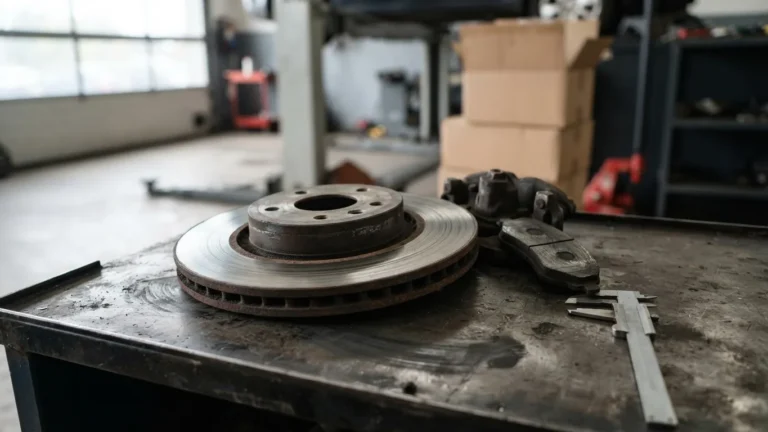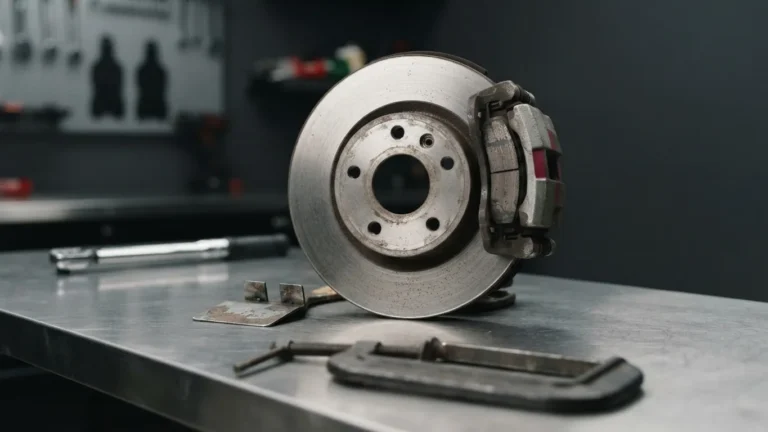
Service Brake Pad Monitor is a General Motors Driver Information Center message, not a generic brake light, and it means one of two very different things: either your calculated pad life is genuinely low, or the monitoring system itself has thrown a plausibility fault on a car with plenty of friction material left. Those two branches lead to completely different repair bills. The message appears in the instrument cluster on Chevrolet, GMC, Buick, and Cadillac vehicles, driven by the Brake System Control Module. Confuse the two branches and you can hand a shop over a thousand dollars for pads you did not need, when General Motors’ own bulletin says the correct remedy on many of these cars is a software update and a reset with no parts at all.
The whole trap here is that the dash message reads like a verdict. It is not. It is one input, and the Brake System Control Module that generates it can be wrong in a documented, reproducible way.
Quick answer: is the Service Brake Pad Monitor telling the truth?
The Service Brake Pad Monitor message means your General Motors vehicle has calculated low brake pad life or has detected a mismatch inside its own monitoring system. Before buying anything, measure remaining pad material. GM’s PIT5695B bulletin says that on a vehicle over 6,000 miles with 9 mm or more of pad left, the fix is a Brake System Control Module reprogram and reset to 100 percent, with no parts replaced. Diagnostic codes C116B SYM59 and C116C SYM59 point to a software counting error, not a bad module. Verify before you authorize a pad-and-rotor job.
The exact message string, which brands show it, and where it lives
Service Brake Pad Monitor appears as text in the Driver Information Center, the small configurable readout in the instrument cluster on GM vehicles sold under Chevrolet, GMC, Buick, and Cadillac. It is generated by the Brake System Control Module, the electronic unit GM abbreviates as BSCM, which continuously estimates how much friction material remains. The message is distinct from the red BRAKE lamp, the amber anti-lock brake lamp, and the separate electric park brake service notice. People type the exact string into search precisely because their own owner materials rarely explain it.
The system spans a wide slice of the lineup: full-size trucks like the Silverado 1500 and Sierra 1500, midsize Colorado and Canyon, Cadillac sedans including the CT6, and the 2024-and-later crossover platforms built on the current BSCM architecture such as the Traverse, Acadia, and Enclave.
That is why identifying the message is only step one. If your dash is showing a different warning entirely, our guide to the blinking check engine light and why you must stop covers a genuinely urgent case that this brake message is not.
Two root causes that must never be mixed: worn pads versus a plausibility fault
The Service Brake Pad Monitor message has two root causes, and the incumbent pages that rank for this query blur them into one. Branch one is genuine low pad life: the BSCM algorithm and the physical wear sensor agree that material is thin. Branch two is a system fault, a plausibility mismatch, where the algorithm has counted pad life down while no wear sensor circuit has actually opened. General Motors documents branch two directly. When the module calculates life down to roughly 10 to 20 percent without a sensor confirming it, the mismatch sets a diagnostic code. The pads can be nearly full.
This split is the single most useful thing to understand before spending money. Here is the practical difference:
- Branch one, real wear: algorithm and sensor agree, measured material is genuinely low, replacement is warranted.
- Branch two, plausibility fault: the algorithm ran ahead of reality, no sensor opened, and GM’s remedy is software plus a reset, not parts.
The reason branch two even exists comes down to sensor coverage, which the next section explains. But the headline is simple: a dash message alone cannot tell you which branch you are in. Only a measurement can.
How the monitor actually works: two sensors, three circuits, one algorithm
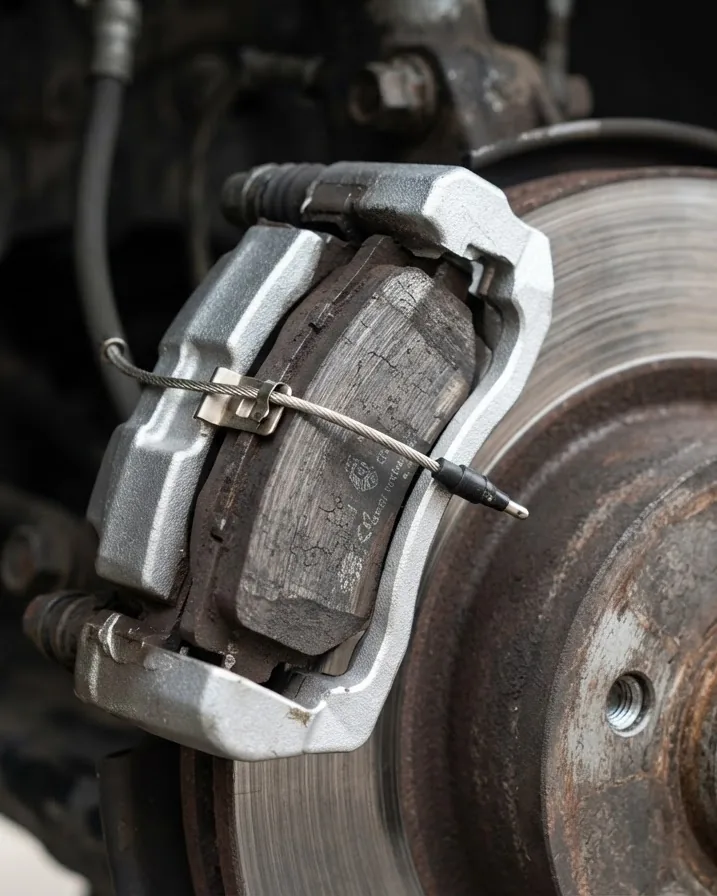
The GM Brake Pad Life Monitoring system uses exactly one pad wear sensor at the left front brake and one at the left rear brake, two sensors total across a four-corner vehicle, with the BSCM algorithm estimating the rest. That detail, drawn from GM’s PIT5695B bulletin hosted in the National Highway Traffic Safety Administration document repository, explains almost every complaint owners have. The two right-hand corners have no sensor at all. Their wear is inferred, never measured. A sticking caliper or uneven wear on an unsensored corner is invisible to the electronics until a human puts a caliper gauge on it.
Each wear sensor is not a single switch. It contains three circuits that open in sequence as the pad thins at different depths. When the first circuit opens, the BSCM adjusts its calculation rate, speeding up, slowing down, or holding steady based on what the sensor reports against what the algorithm predicted.
That three-circuit design is what makes the plausibility check possible. The module is supposed to see a circuit open before it reaches the bottom of its calculated countdown. When it counts all the way down to 10 to 20 percent and no circuit has opened, it flags the contradiction. It does not assume the pads are gone. It assumes something disagrees, and it says so through a diagnostic code rather than silently condemning the brakes.

Why the percentage lies: the unsensored corners and the learning problem
The pad-life percentage in your cluster is a calculated estimate, not a direct measurement, and it can be wrong for a structural reason: only the left front and left rear corners carry a wear sensor. The algorithm assumes the right-side pads wear at a similar rate to the sensed left-side pads. When a right caliper sticks, or one corner sees harder use, the real thinnest pad on the car may be a corner the electronics never touch. The percentage stays cheerful while metal-to-metal creeps up on an unmonitored wheel.
The algorithm also learns from your driving. Towing, mountain descents, and stop-and-go city duty all change the wear rate it expects. A truck that spent its first months hauling in hilly terrain trains the module toward aggressive wear, and the count can drop faster than the pads actually do.
This is why physically checking your brakes matters more than trusting the readout, and why understanding how often to replace brake pads by mileage and millimeter gives you a reality check the dash cannot. The number on the screen is a model of your brakes. The caliper gauge is your brakes.
Is it safe to drive? A triage that does not hedge
The Service Brake Pad Monitor message on its own, with a normal-feeling brake pedal, is not an emergency, but it demands a measurement soon. Escalation depends entirely on what accompanies it. Treat the symptoms as a hierarchy, because the message paired with certain signs changes the answer from “schedule an inspection” to “stop driving now.”
- Message alone, pedal firm, no noise: safe to drive short term, get the pads measured within days, do not authorize parts yet.
- Message plus grinding, squeal, pulsation, a long pedal, or pull to one side: stop using the vehicle for anything but reaching a shop; these are contact and hydraulic symptoms, not calculation quirks.
- Message plus a red BRAKE lamp or amber anti-lock brake lamp: this is no longer a wear question; the service brake or anti-lock system needs immediate diagnosis.
A pulsation through the pedal specifically often points away from pads and toward disc runout. If that is your symptom, the mechanism is different, and our breakdown of warped brake rotor repair and why the shudder returns explains why replacing pads alone will not cure it. A long, sinking pedal is a hydraulic red flag on its own footing.
Verify before you buy: 9 mm service rule versus the 2/32-inch legal minimum
Measuring remaining friction material is the step that separates a justified repair from an upsell, and two very different numbers govern it. General Motors’ PIT5695B bulletin sets a repair decision threshold: on a vehicle over 6,000 miles, if 9 mm or more of brake pad material remains, technicians are told to reset pad life to 100 percent and perform no other repair. Under 6,000 miles, GM says reset to 100 percent without even inspecting. Pad replacement is warranted only below 9 mm. That is a service recommendation, chosen to keep customers well clear of trouble.
The legal minimum is a completely different figure. Virginia’s state inspection code, 19VAC30-70-80, rejects bonded, molded, or riveted linings or disc pads worn to less than 2/32 of an inch, roughly 1.6 mm, at any point. Compare the two: GM’s 9 mm service call sits about 5.6 times higher than Virginia’s 1.6 mm legal floor. One says “time to plan a replacement.” The other says “this vehicle is now unsafe and illegal.” They are not the same event, and conflating them is exactly how owners get talked into premature work.
Here is the side-by-side that matters:
- GM service threshold (PIT5695B): replace only below 9 mm; at or above 9 mm, reset and drive.
- Virginia legal minimum (19VAC30-70-80): fail below 2/32 inch, about 1.6 mm, at any point on the pad.
For context on how commercial rules differ, federal criteria under 49 CFR 393.47 put hydraulic disc, drum, and electric brakes out of service at 1.6 mm, air disc brakes at 3.2 mm, and air drum steering-axle linings at 4.8 mm. Those are commercial-vehicle numbers, not a light-vehicle rule, but they show how thresholds shift with the standard being applied. If a shop quotes you replacement, ask what they measured. A number at or above 9 mm on a GM vehicle means the bulletin, not the pads, is your problem.
The diagnostic codes C116B and C116C, and why the module is not broken
The codes behind a false Service Brake Pad Monitor message are C116B SYM59 and C116C SYM59, and reading them correctly saves a needless module replacement. In GM’s coding, the C116B and C116C codes cover brake pad wear signal problems, and the SYM59 modifier means the signal is “not plausible.” Plausible is the operative word. The module is not reporting that a sensor failed short or that a wire broke. It is reporting that two things it tracks disagree: its own countdown says the pads should be near gone, yet no wear sensor circuit has opened to confirm it.
General Motors is explicit in the PIT5695B bulletin that technicians should not replace the Brake System Control Module for these codes. The module is doing its job. It caught its own arithmetic running ahead of physical reality and raised a flag. Swapping it out fixes nothing and adds a large parts charge.
The prescribed remedy is a software correction. GM lists warranty labor operation 2485998, “Reprogram Brake System Control Module To Correct Brake Pad Life Calculation,” rated at 0.3 hour. That figure is your sanity check. If a shop wants to bill hours of module diagnosis and replacement for a C116B or C116C with SYM59, the manufacturer’s own time allowance for the actual fix is 0.3 hour of reprogramming.
The reset nobody explains: why the dash path is usually greyed out
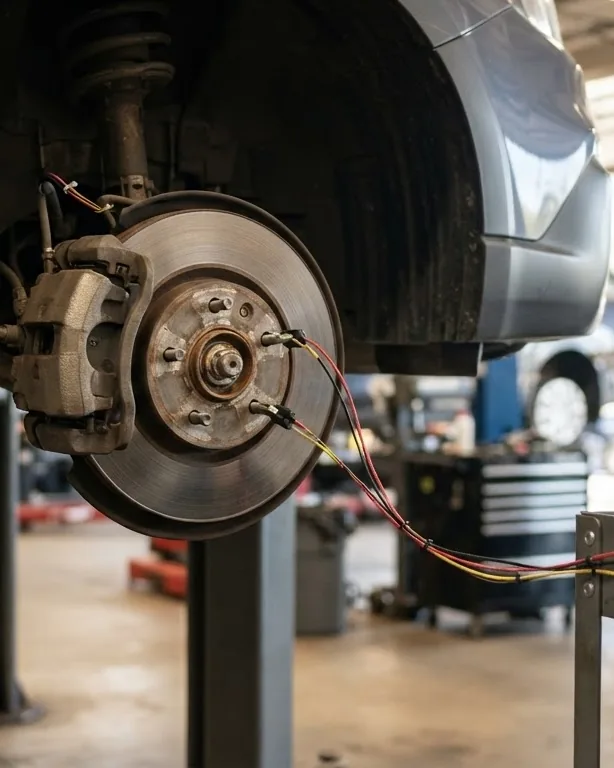
The reason so many owners cannot reset the Service Brake Pad Monitor from the dash is that GM’s in-cluster reset is only enabled under one specific condition, and most vehicles never meet it. The three-step cluster procedure that Chevrolet publishes is real: open the Brake Pad Life screen in the cluster, use the steering-wheel thumbwheel or trip odometer reset stem to select the axle whose pads were replaced, and press to select YES. It works beautifully when the precondition is satisfied. It is missing from the menu, or greyed out, when it is not.
That precondition, per the PIT5695B bulletin, is that the BSCM must have detected a wear sensor actually worn through and opened, and then had that sensor replaced. A low-mileage vehicle throwing a plausibility fault never opened a sensor circuit. So the dash reset it needs is precisely the one the dash will not offer. The owner is left staring at a menu that does not contain their option.
When the dash path is unavailable, the reset must be done with a bidirectional scan tool, GM’s GDS2 or an equivalent, using the front or rear axle Brake Pad Life Monitoring Reset under the BSCM configuration and reset functions. Order matters here. Do this:
- First, repair the actual cause: reprogram the module if the codes are C116B or C116C SYM59, or replace pads and the sensor if material is genuinely below 9 mm.
- Second, clear the stored diagnostic codes before attempting any reset.
- Third, run the axle-specific Brake Pad Life Monitoring Reset; the monitor only resets to 100 percent, and there is no partial reset available.
Reset before clearing codes and the fault state can carry over. The 100-percent-only constraint means there is no partial reset option. It is all the way back to full, every time.
Good pads, message anyway: the post-service triggers
A Service Brake Pad Monitor message right after a brake job usually means the reset step was skipped or done wrong, not that the new pads are bad. Several post-service scenarios fire this message on perfectly good friction material. The most common is replacing pads without replacing or reconnecting the left-side wear sensor, leaving the BSCM reading an open or absent circuit. Another is answering the “were the pads replaced?” prompt incorrectly, which owners on forums like ColoradoFans routinely mis-answer, so the module keeps its old countdown.
Two more catch people who do their own work. On vehicles with an electric park brake, failing to put the system into service mode before retracting the caliper piston can set faults. And retracting a piston without following GM’s procedure can trip a related code that surfaces alongside the pad message.
None of these are defects. They are procedure gaps, and the cure is the correct reset sequence rather than more parts.
Permits, inspections, and the regulators who set the real thresholds
The bodies that govern brakes decide whether your Service Brake Pad Monitor message costs you anything at inspection time, and knowing who sets which rule keeps you from overpaying. The National Highway Traffic Safety Administration, the federal safety agency inside the US Department of Transportation, runs recalls and the public repository where manufacturer bulletins live. Both GM documents this article relies on are hosted there. NHTSA also runs the VIN-level open-recall check that every GM owner with this message should use before paying, because a field action existed for exactly this complaint.
That field action is customer-satisfaction program N192264451, “Premature Brake Wear Notification,” covering the 2019 Silverado 1500 and Sierra 1500 as new models. It is reported as expired, which is precisely why you check VIN status rather than assume coverage. An expired program can still leave the door open to goodwill on a bumper-to-bumper vehicle, and the labor operation 2485998 at 0.3 hour tells the dealer what the fix should book.
The Society of Automotive Engineers, which publishes as SAE International, writes the technical standards that friction and brake components are engineered against, the shared engineering vocabulary behind these systems. The Insurance Institute for Highway Safety, IIHS, and the American Automobile Association, AAA, both publish braking and maintenance guidance that reinforces the same point: measure before you replace. Where the hard legal line sits, though, is state code.
Virginia’s 19VAC30-70-80 delivers the quote that reframes the entire message. A brake pad wear indicator warning light does not, by itself, cause automatic rejection at inspection. The inspector must confirm by measurement whether pads have actually crossed the 2/32-inch tolerance. A dash message is not a failed vehicle. Federal standard FMVSS No. 135, at 49 CFR 571.135, defines what a “service brake” system must do, applying to passenger cars built on or after September 1, 2000, and to trucks and buses of 3,500 kg (7,716 lb) GVWR or less built on or after September 1, 2002, with a stated purpose of safe braking under normal and emergency conditions. You can confirm the standard’s scope directly through the eCFR text of FMVSS No. 135 and run your VIN through the NHTSA recall lookup before any brake invoice is signed.

Which replacement pads: the copper phase-out you inherited
If you do land in genuine-wear territory, the pads you buy are governed by an environmental agreement that quietly reshaped friction material. The US Environmental Protection Agency’s Copper-Free Brake Initiative, signed January 21, 2015, calls for copper below 5 percent by weight from 2021 and below 0.5 percent by 2025, alongside cuts to mercury, lead, cadmium, asbestiform fibers, and chromium-VI salts. It exists because braking dust is a real pollutant.
The scale explains the urgency: an estimated 1.3 million pounds of copper reached California’s environment from vehicle braking dust in 2010, and about 250,000 pounds in Washington in 2011. Reputable replacement pads sold today already meet the phase-out, so the practical takeaway is to buy compliant, properly marked friction material rather than the cheapest unmarked box. You can read the initiative in the EPA’s own words on the EPA Copper-Free Brake Initiative page.
Can you just turn it off, and should you
You can disable the Brake Pad Life system through the owner’s-manual procedure, and you almost certainly should not. GM documents a disable option in its owner materials, and it is tempting when the message keeps returning on a car you know has good pads. But a safety notification you have muted cannot warn you later when the wear is real, and the two right-side corners that never had a sensor still depend on the algorithm you just silenced.
Disabling treats the symptom while removing the smoke detector. The correct sequence stays the same: measure, confirm the branch, reprogram or replace, then reset to 100 percent. Turn the system off only if you have made an informed decision to monitor your brakes manually on a strict schedule instead.
DIY versus shop, and the one tool capability that decides it
Whether you can handle a Service Brake Pad Monitor yourself comes down to one capability: bidirectional scan-tool access to the BSCM. If the dash reset is greyed out, which it usually is on the false-alarm cases, you need a tool that can command the axle-specific Brake Pad Life Monitoring Reset and clear the stored codes first. A basic code reader that only displays and erases generic codes will not perform the module reset.
There is also the reprogramming side. The C116B and C116C SYM59 fix is a module reflash, which realistically means a dealer or a shop with GM software. A confident DIYer who has already confirmed 9 mm or more of pad material and has proper bidirectional access can reset a car after a legitimate pad-and-sensor job. Everyone else is better served letting a shop verify the branch, especially since the labor for the software remedy is only 0.3 hour.
Frequently asked questions
Does the Service Brake Pad Monitor message mean I need new brakes right now?
Not necessarily. The message means either low calculated pad life or a monitoring-system mismatch. GM’s PIT5695B bulletin says that on a vehicle over 6,000 miles with 9 mm or more of pad material, the fix is a software reprogram and reset, no parts. Measure the pads before authorizing replacement.
What do codes C116B SYM59 and C116C SYM59 actually mean?
They are brake pad wear signal codes, and the SYM59 modifier means the signal is “not plausible.” The module counted pad life down without a wear sensor confirming it. GM explicitly instructs technicians not to replace the Brake System Control Module for these codes. The documented remedy is a software reprogram, not a new module.
Why can’t I reset the monitor from my dashboard menu?
The in-cluster reset only appears after the BSCM has detected a wear sensor worn completely through and then replaced. Most low-mileage vehicles never met that condition, so the menu option is greyed out or absent. In that case, the reset must be done with a bidirectional scan tool using the axle-specific reset function.
Will this message fail a state safety inspection?
A dash message alone does not. Under Virginia’s 19VAC30-70-80, a brake pad wear indicator warning light is not automatic rejection; the inspector must measure and confirm the pads are below 2/32 of an inch, roughly 1.6 mm. The light is a prompt to check, not proof of a failed vehicle.
Should I just disable the brake pad monitor to stop the message?
Disabling is possible through the owner’s-manual procedure but a poor default. The system covers two unsensored corners through its algorithm, and muting it removes your warning when wear becomes real. Fix the actual cause, reprogram or replace as needed, then reset to 100 percent instead of switching off a safety notification.
How much should the software fix cost me?
GM’s warranty labor operation 2485998, “Reprogram Brake System Control Module To Correct Brake Pad Life Calculation,” is rated at 0.3 hour. Use that as your sanity check against any quote. If the codes are C116B or C116C with SYM59 and you have 9 mm or more of pad, you are looking at a reflash and reset, not a full brake job.
The bottom line before you sign anything
The Service Brake Pad Monitor message is a starting point for an investigation, never the conclusion of one. Two sensors watch four corners, an algorithm fills the gaps, and GM’s own PIT5695B bulletin documents the software condition where that algorithm counts down too fast on a car with good pads. Measure the material. At or above 9 mm on a vehicle over 6,000 miles, the manufacturer’s remedy is a 0.3-hour reprogram and a reset to 100 percent, not parts. Below 9 mm, replace pads and the sensor, then reset in the correct order. And before you pay a dime, run your VIN through NHTSA, because a field action existed for this exact complaint. The message is loud. Your measurement is the truth.